Difference between revisions of "Battle Report Tracking"
GrumpyGecko (talk | contribs) |
GrumpyGecko (talk | contribs) |
||
| Line 8: | Line 8: | ||
=Features of tracking battle reports= | =Features of tracking battle reports= | ||
| + | ==Battle Report Rewards== | ||
| + | Posting battle reports with an Enraged or a Peacekeeping class title in a group chat with enabled sticker responses, will reward these reports with a sticker for exactly that class and title. For details see [[Battle Report Rewards]]. | ||
| + | |||
==Tracking Combat Stats== | ==Tracking Combat Stats== | ||
| Line 19: | Line 22: | ||
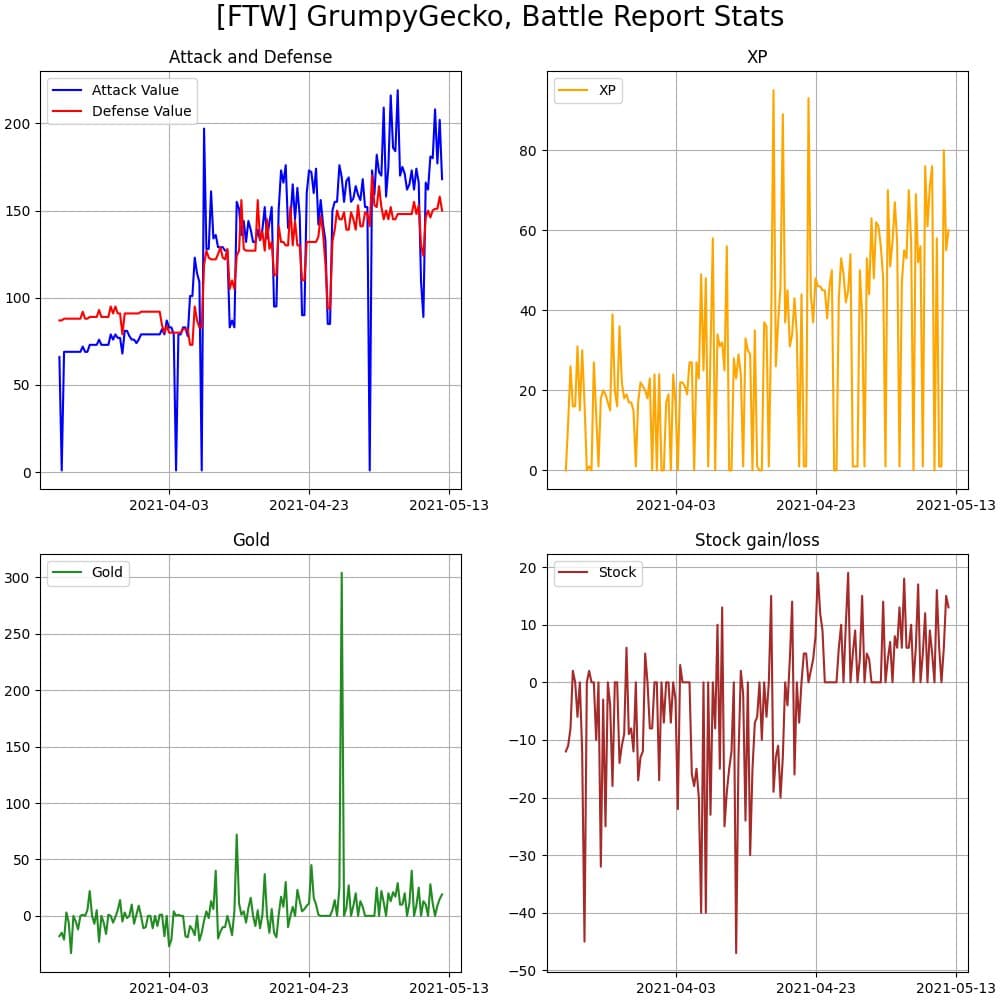
You can also use the command <code>/reports 100</code> with the number indicating how many days back you want your output to be shown, e.g. </code>/reports 55</code> is cutting off all information before my latest mem: | You can also use the command <code>/reports 100</code> with the number indicating how many days back you want your output to be shown, e.g. </code>/reports 55</code> is cutting off all information before my latest mem: | ||
[[File:Battlestatsgraph all 55.jpg]] | [[File:Battlestatsgraph all 55.jpg]] | ||
| − | |||
| − | |||
| − | |||
| − | |||
Latest revision as of 02:25, 12 May 2021
If a user is known to the bot (either by having registered with a current /me, a current /hero or by having activated the API with /auth), then battle reports sent to the bot via PM or in groups can be saved for as the user's reports and can be tracked.
To be saved as the user's, the report needs to fulfill three criteria:
- The castle of the player in the report must be the same as the castle of the registered user
- The guild of the player in the report must be the same as the guild of the registered user
- The in-game player name in the report must be the same as the in-game player name of the registered user
If one of these three things differs, it can't be assigned. So with name, guild or castle changes, make sure to update your profile information in the bot.
Contents
Features of tracking battle reports
Battle Report Rewards
Posting battle reports with an Enraged or a Peacekeeping class title in a group chat with enabled sticker responses, will reward these reports with a sticker for exactly that class and title. For details see Battle Report Rewards.
Tracking Combat Stats
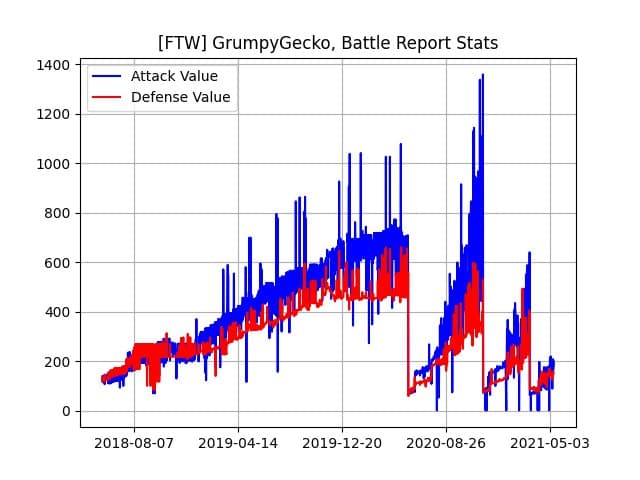
Use the button 📯Battle atk/def in the 🏅Me sub menu via PM, to get a graph of your attack and defense values of all saved battle reports. E.g. my own output:

Tracking General Battle Report Stats
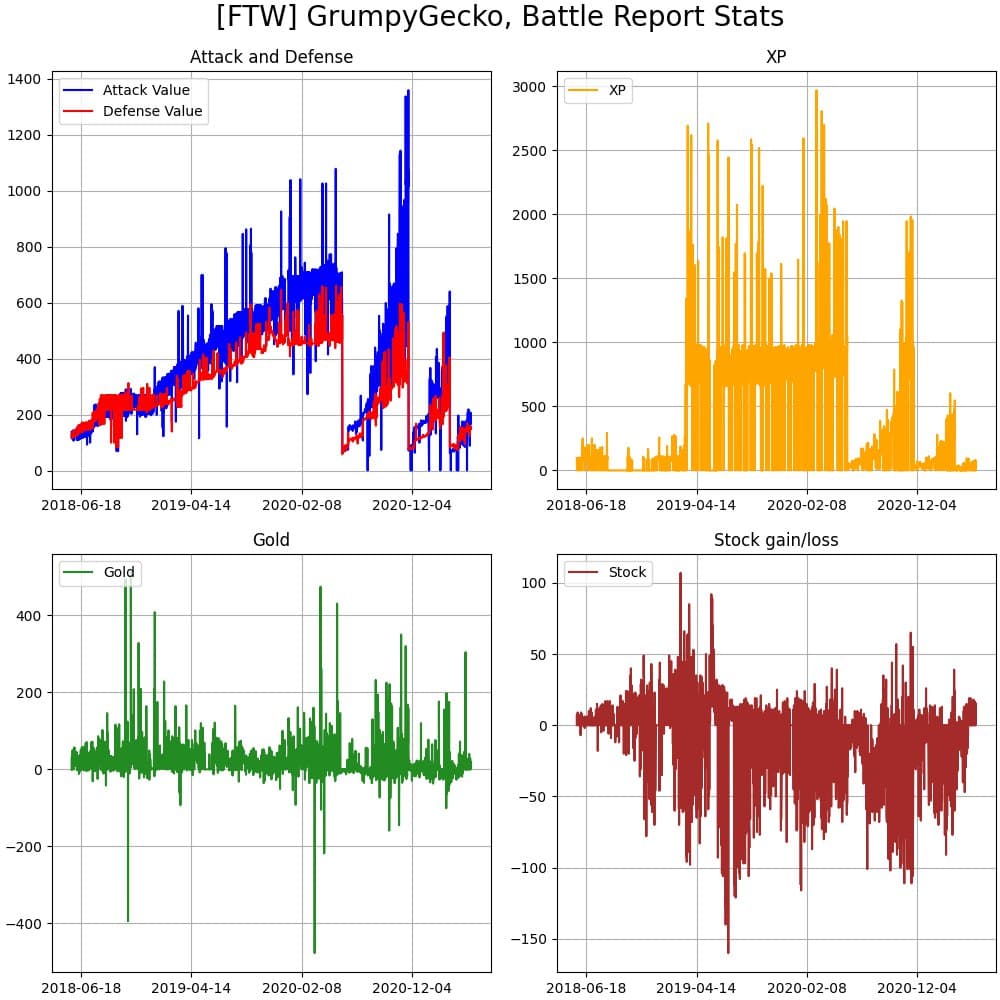
Use the button 📯Battle overview in the 🏅Me sub menu via PM, to get a graph of your combat stats values of all saved battle reports, plus graphs of your stock gain, gold gain and xp gain. E.g. my own output:

You can also use the command /reports 100 with the number indicating how many days back you want your output to be shown, e.g. /reports 55 is cutting off all information before my latest mem: